A client questions a missed overnight patrol at 03:20. The issue is no longer whether a guard says the round was completed. It is whether the operation can produce a clear, time-stamped record showing where the guard was, what was found and when a supervisor was alerted. That is the practical decision behind QR checkpoints versus NFC tags: choosing a scanning method that guards will use correctly and managers can rely on when accountability matters.
Both technologies can support live guard tour monitoring through a smartphone-based patrol system. Both can create a digital record of attendance at a location, trigger tasks and provide an audit trail for client reporting. The right choice depends on site conditions, deployment speed, risk level and how much physical control you need at each checkpoint.
QR checkpoints versus NFC tags: the operational difference
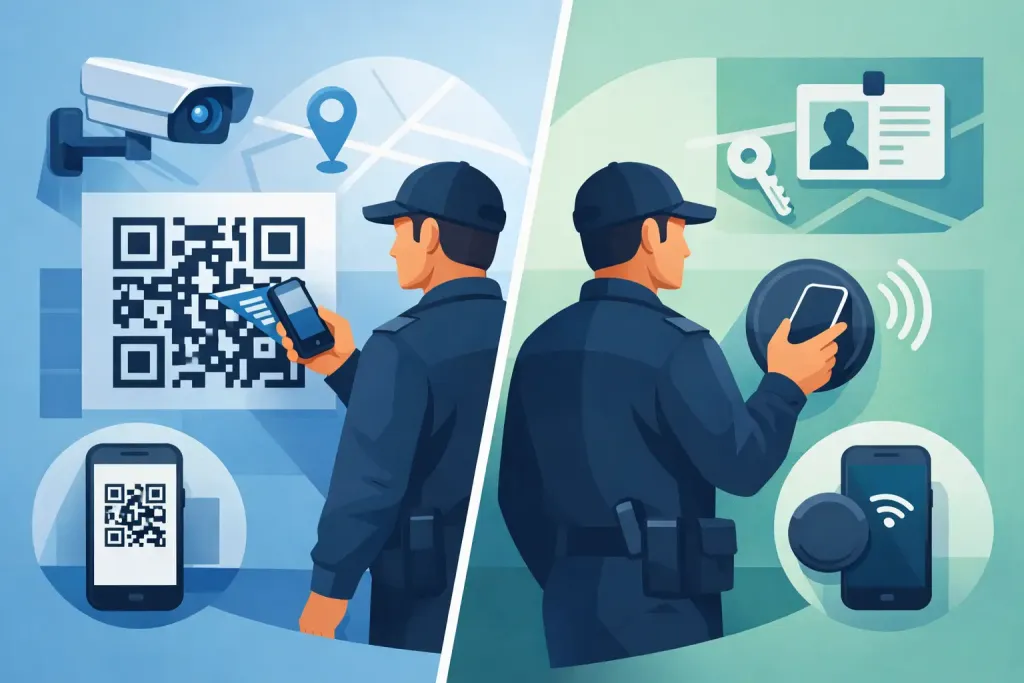
A QR checkpoint is a printed code placed at a defined patrol location. A guard opens the patrol app, scans the code with the phone camera and submits the checkpoint event to the management platform. It is visible, simple to install and usually the quickest route from paper patrol sheets to verifiable digital records.
An NFC tag is a small programmed device installed at the checkpoint. The guard holds an NFC-enabled smartphone close to the tag to register the visit. Because the phone must be within very close range, NFC is often chosen where teams want a more discreet marker or a tighter physical proximity requirement.
Neither method alone proves that every aspect of a patrol was performed properly. A scan proves an interaction with a checkpoint at a recorded time. The quality of the evidence improves when the system also captures the guard identity, location data where appropriate, incident reports, photographs, task completion and supervisor response. This is where a live cloud platform becomes more useful than a standalone scanning device.
When QR checkpoints are the better choice
QR codes are highly practical for fast deployment. A security provider taking on a new building, construction project or short-term event can create and position checkpoints without specialist installation work. Printed codes are inexpensive to replace, easy to label and clear for supervisors to inspect during a site set-up.
They work especially well where checkpoints need to carry visible instructions. A code at a fire exit can be paired with a task such as checking that the route is clear and the door is secure. A code at a plant room can prompt a condition check, meter reading or photo requirement. This turns a patrol route into a controlled workflow rather than a sequence of clock-ins.
QR checkpoints are also a sensible option when a workforce uses a wide range of managed or bring-your-own smartphones. Scanning relies on the phone camera, avoiding dependence on NFC settings, antenna positioning or device-specific behaviour. For multi-site operations, that can reduce training time and prevent unnecessary support calls.
QR code limitations to plan for
Visibility is QR technology’s main advantage and its main exposure. The code needs to be readable, clean and adequately lit. A damaged label, condensation on a sign or poor placement in a dark external area can interrupt a patrol. Laminated, weather-resistant labels and sensible positioning help, but they should be included in routine site checks.
A QR code can also be photographed or copied if access controls are weak. That does not make QR unsuitable, but it does mean higher-risk sites should use layered controls. Monitor scan times and route sequence, compare events with GPS or geofence information where appropriate, require incident observations at selected points and investigate unusual patterns immediately. A copied marker is less useful to anyone when managers are reviewing live exceptions rather than reading a paper log days later.
When NFC tags are the better choice
NFC tags suit locations where discretion and close-range scanning matter. A small tag can be fitted inside a cabinet, beneath a suitable cover or in another controlled position, provided it remains accessible for legitimate patrol activity. The guard must bring the handset close to the physical point, which can strengthen confidence that the patrol was conducted at that location.
They are useful in environments where printed codes are likely to be removed, defaced or deliberately noticed. Warehouses, industrial estates, transport facilities and high-value areas may favour a lower-profile checkpoint approach. NFC also avoids camera scanning in very low-light locations, although guards still need enough light to carry out a safe and meaningful inspection.
For permanent routes with stable infrastructure, NFC can feel more integrated into the site. The tag is not an instruction board, but the mobile app can display the required task immediately after the tap. Guards receive a consistent prompt and managers receive a structured record rather than free-text notes of variable quality.
NFC tag limitations to plan for
NFC deployment requires compatible phones and a disciplined device policy. Most current business smartphones support NFC, but managers should confirm this before committing to a rollout, particularly where older handsets remain in service. Guards may need to enable NFC in their phone settings, and thick cases or inaccurate handset positioning can occasionally cause failed reads.
Installation also deserves more attention than simply attaching a tag. Metal surfaces can affect NFC performance, external tags need appropriate environmental protection and the chosen mounting position must not create a safety issue. Test every point using the actual guard devices before making the route live.
NFC tags are not automatically impossible to copy or tamper with. The level of protection depends on the tag type and the wider patrol system. As with QR, a defensible process comes from live records, exception alerts, device accountability and supervisor follow-up – not from assuming one physical marker eliminates every risk.
QR checkpoints versus NFC tags by site type
For temporary, changing or cost-sensitive locations, QR checkpoints are usually the practical first choice. Construction sites, vacant properties, pop-up operations and newly won contracts often need a patrol route in place quickly. A visible code can be deployed, labelled and replaced with minimal delay when access routes or risk areas change.
For established, controlled or higher-risk premises, NFC may be the stronger fit. It is well suited to fixed internal routes, restricted zones and locations where visible labels would be inappropriate. The close-range interaction helps support a stricter proof-of-presence process, particularly when combined with timed tours and automated missed-checkpoint notifications.
Many operations should not force an either-or decision. A mixed checkpoint strategy is often more effective. Use QR codes at obvious public-facing or task-heavy points, such as reception areas, perimeter gates and fire equipment checks. Use NFC in plant rooms, secure stores, critical infrastructure areas or discreet internal positions. A platform that supports both lets each site use the technology that matches its real operating conditions.
Build the evidence chain around the checkpoint
The checkpoint is only one part of guard accountability. A well-designed route specifies what the guard must inspect, the expected frequency, the acceptable sequence and what happens if a point is missed. The system should flag exceptions while they can still be corrected, rather than leaving supervisors to discover gaps in an end-of-month report.
For incident-prone or lone-worker duties, connect checkpoint activity with welfare controls. A missed scan may justify a supervisor check-in; a panic alarm or man-down alert requires immediate escalation. Incident forms should capture the facts at the point of discovery, with photographs, notes and timestamps available for internal review or client evidence.
This approach also supports compliance without turning patrols into paperwork. Clear digital records help demonstrate service delivery against client SLAs, support health and safety procedures and provide an organised audit trail for BS 7499-aligned operations. Data handling still matters: define who can view location and incident information, retain records for an appropriate period and apply GDPR-aware access controls.
Choose for the risk, not the novelty
Choose QR if you need rapid rollout, low replacement cost, visible task prompts and broad handset compatibility. Choose NFC if discreet placement, very close physical interaction and a more permanent installation are the priority. If a contract includes both temporary external areas and controlled internal zones, use both rather than compromising the route design.
Before deployment, walk the route at the times guards will actually work it. Test poor lighting, weak connectivity, wet weather, protective phone cases and access restrictions. Confirm that every scan creates a live event, that missed visits reach the right supervisor and that staff know what to do when a checkpoint cannot be read.
QR-Patrol supports QR codes, NFC tags, GPS checkpoints and beacon technology within one live patrol management environment, allowing security teams to adapt the proof-of-presence method to each location rather than redesigning their operation around a single device.
The best checkpoint is the one that produces credible evidence without slowing guards down or creating blind spots. Set the route around the risk, make exceptions visible immediately and ensure every patrol record can stand up to client scrutiny when it counts.