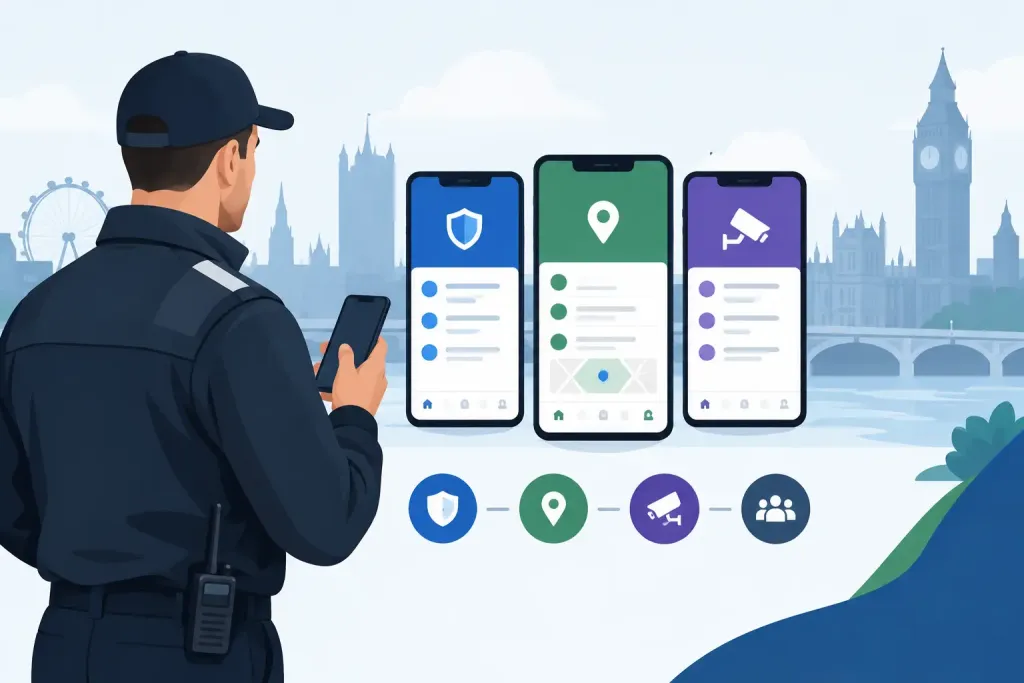
A missed patrol at 02:00 is not just a gap in a rota. It can leave a vulnerable entrance unchecked, delay an incident response and create a difficult conversation with a client the next morning. A meaningful mobile guard app comparison must therefore look beyond a list of features. The question is whether the system gives managers reliable proof of what happened, where it happened and what was done next.
For UK security providers, facilities teams and in-house departments, the right platform should turn patrol activity into a live operational record. It should support guards in the field without adding unnecessary friction, while giving supervisors the information needed to intervene before a small failure becomes a reportable event.
Start a mobile guard app comparison with the operational risk
Every site has different exposure. A warehouse may need proof that perimeter checks were completed on time. A hotel may prioritise discreet incident reporting and rapid escalation. A construction site may need lone-worker protection, asset checks and evidence that restricted areas were inspected outside working hours.
Before comparing suppliers, define the events that currently create risk or consume management time. Common examples include missed checkpoints, late patrols, incomplete occurrence books, unconfirmed welfare checks, delayed client updates and uncertainty over whether guards attended the correct location.
This matters because an app can appear comprehensive yet fail at the precise point where your operation needs control. A simple QR-based patrol tool may suit a small, stable site with clear routes. A multi-site contract with changing risks, mobile officers and strict client reporting usually needs a wider platform covering scheduling, incident workflows, notifications and central reporting.
The best choice is not automatically the app with the longest feature list. It is the one that creates dependable evidence at the moments that matter most.
What to assess in a mobile guard app comparison
Proof of presence must be difficult to dispute
A patrol record has value only if it confirms that the guard reached the required point at the required time. Checkpoint technology is central to this. QR codes are economical and straightforward to deploy, while NFC tags are quick to scan and can be more practical in low light or poor weather. Bluetooth beacons and GPS-based virtual checkpoints can add flexibility for large estates, vehicle patrols and sites where physical tags are unsuitable.
Ask whether the app supports more than one checkpoint method. A single technology can be enough for a straightforward building, but mixed environments often benefit from options. For example, fixed QR or NFC checkpoints may suit internal routes, while GPS checkpoints can evidence external perimeter inspections.
Also assess the controls around location verification. Can a manager see the scan time, assigned route and supporting GPS information? Can the platform flag missed, early or late checkpoints automatically? These details turn a basic timestamp into defensible proof of service.
Live visibility changes the response window
Offline systems often reveal missed patrols only after a guard returns to the office or docks a device. That is too late when a site is exposed. Cloud synchronisation should make patrol progress, exceptions and incidents visible as they occur, subject to available mobile connectivity.
Live monitoring is most useful when it supports action. Look for real-time alerts that can notify the relevant supervisor when a patrol is missed, a panic alarm is activated or an incident is submitted. The notification process should be configurable. A late scan at a low-risk office may require a supervisor prompt, while a missed welfare check at an isolated industrial site may require immediate escalation.
There is a practical trade-off here. Alerts without clear escalation rules can overwhelm control rooms and lead to notification fatigue. Set thresholds that reflect the site risk assessment, contract requirements and available response resource.
Lone-worker protection needs a clear workflow
A mobile app should strengthen guard welfare, not simply record that a person was scheduled. For lone or remote workers, assess whether the solution includes panic alarms, man-down detection, timed welfare checks and location information that can help responders find the guard quickly.
Features alone are not enough. Managers should be able to define who receives an alert, what happens if they do not acknowledge it and how the outcome is recorded. Test the workflow during a demonstration. Trigger an alarm, confirm how it appears in the web application and check whether the escalation is visible in the audit trail.
This is particularly important where teams work across dispersed property portfolios, vacant buildings, industrial facilities or night-time operations. A welfare process that depends on a manual phone call or paper log may work until a guard cannot make that call.
Incident reporting should create usable evidence
A good incident report needs more than a free-text box. It should capture time, location, category, narrative, photographs and follow-up actions in a consistent format. Custom forms help organisations collect the information their clients, insurers and internal procedures require without relying on guards to remember every detail under pressure.
Review how an incident moves from submission to closure. Can a supervisor assign actions? Is there a clear record of who reviewed the report and when? Can supporting images and notes be retained against the event? The objective is a transparent chain of information, not a collection of disconnected messages.
Digital occurrence books are especially valuable when several guards work across shifts. They provide the incoming officer with current site intelligence and give managers a searchable record when investigating an issue days or months later.
Reporting must serve the client and the audit
Security teams are regularly asked to demonstrate performance. Clients want confirmation that contracted patrols occurred. Operations managers need to identify recurring exceptions. Compliance teams need records that stand up to scrutiny.
Check whether reports can show completed and missed checkpoints, patrol timing, incidents, tasks, shift activity and exception trends. Branded reporting can also improve the quality of client communication by presenting operational evidence clearly and consistently.
The key test is whether a report answers a real question quickly. Can a contract manager show patrol completion for a specified date range? Can a supervisor identify the locations where exceptions recur? Can the business produce records that support BS 7499 expectations, health and safety responsibilities, GDPR-aware data handling and client SLAs?
Do not separate the guard app from workforce management
Some apps focus narrowly on scanning checkpoints. That may be sufficient for a small team, but it can create fragmented processes when rostering, task allocation, incident reporting and performance oversight sit elsewhere.
An integrated platform reduces this separation. Guards can receive scheduled duties and tasks through the mobile app, complete patrols and submit reports, while managers oversee activity from one central web application. This gives supervisors context: a missed patrol can be viewed alongside the guard’s shift, site instructions and any related incident.
QR-Patrol is designed around this joined-up model, combining multi-technology checkpoints with live patrol visibility, digital reporting and lone-worker safeguards. For growing providers and multi-site operations, the value is not merely fewer systems. It is a clearer record of how field activity was planned, completed and managed.
Questions to ask during a supplier demonstration
A demonstration should follow a realistic site scenario rather than a polished feature tour. Ask the supplier to show how a guard starts a shift, completes an assigned route, records a hazard, misses a checkpoint and raises an emergency alarm. Then ask to see what the supervisor sees in real time and how the event appears in the final report.
Use the session to test practical issues that affect adoption:
- Can guards use the app confidently with minimal training?
- What happens when connectivity is weak or temporarily unavailable?
- Can checkpoint types be matched to the physical environment?
- How are user permissions, site access and data retention managed?
- Can forms, reports and notifications be configured to match your operating procedures?
- What onboarding, equipment and ongoing support are included?
These questions reveal whether the supplier understands field operations or simply demonstrates software screens. They also help prevent a common implementation failure: buying a capable system, then discovering that its workflows do not match the way supervisors and guards actually work.
Match the platform to the scale of the contract
Cost should be assessed against the risk and administrative effort the system removes. A low-cost app may look attractive for a small deployment, but it can become expensive if managers must manually compile reports, chase exceptions or maintain separate incident records. Conversely, a full suite may be unnecessary where a single site only requires basic proof-of-presence patrols.
Consider the number of guards, sites, patrol routes and client reporting requirements, but also the likelihood of change. New contracts, temporary locations and changing site instructions are normal in security operations. Choose a subscription level and deployment model that can grow without forcing a replacement project six months later.
The right system should make accountability routine rather than burdensome. When every patrol, exception and welfare check is visible in one trusted record, supervisors can spend less time reconstructing events and more time protecting the people and places in their care.