A missed lock check, an unreported hazard or a guard working alone without confirmation is not an admin problem. It is an operational exposure. The best security task management apps give supervisors live proof that critical work has been completed, reveal exceptions before they become serious, and preserve the records needed to account to clients, auditors and senior management.
For security teams, a generic to-do list rarely goes far enough. Guards need tasks tied to locations, shifts, patrol routes, incidents and escalation procedures. Managers need to see what happened, when it happened and what action followed – not wait until the end of a shift for a paper occurrence book.
What a security task management app must do
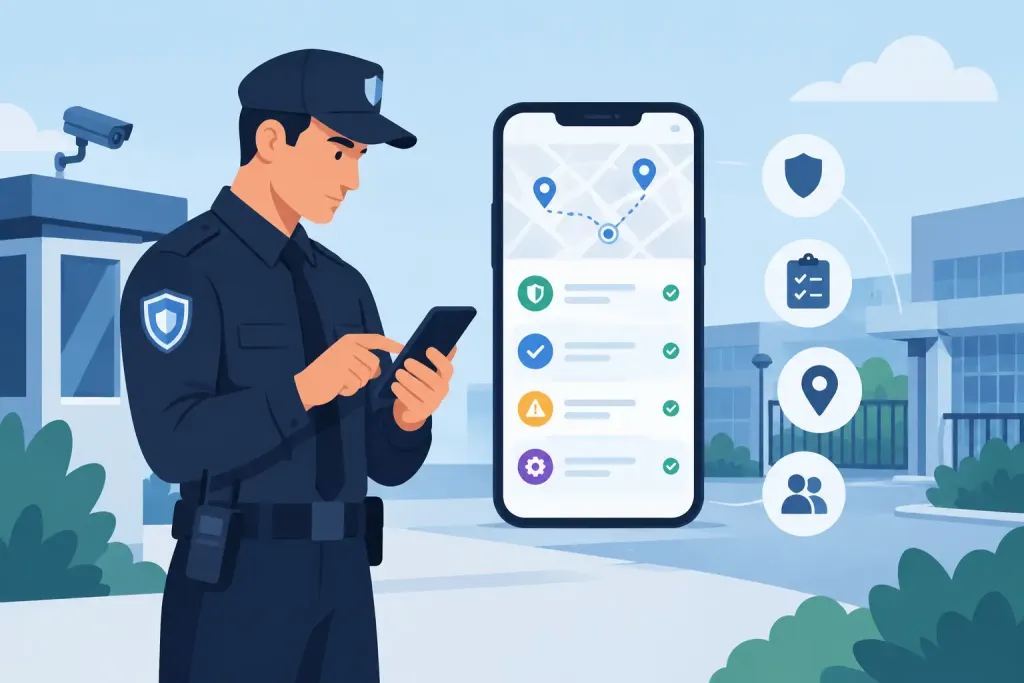
The right platform turns site instructions into accountable field activity. A guard should be able to receive a clear task on a smartphone, complete it at the relevant point, add notes or photographs where needed, and trigger an immediate alert if the situation demands it. The control room or supervisor should see that update without chasing calls, texts and separate spreadsheets.
Location verification matters. A task marked complete from anywhere is weak evidence. QR codes, NFC tags, Bluetooth beacons and GPS-based checkpoints can confirm that a guard attended the intended place. This is especially valuable for perimeter checks, plant room inspections, fire-door checks, vacant-property visits and welfare rounds.
A capable system should also connect tasks to the wider operational record. That means scheduling, patrol monitoring, incident reporting, lone-worker protection, audit-ready reports and configurable notifications working from the same data. A stand-alone task app can be useful for simple duties, but it can create another information gap when security operations become more demanding.
10 security task management apps worth evaluating
The best choice depends on whether you need a dedicated guarding platform, workforce management across several service lines, or a simpler mobile tool for facilities teams. These are strong options to assess against your own sites, contracts and risk profile.
1. QR-Patrol
QR-Patrol is designed for guard patrol management and real-time accountability. Guards can complete assigned tasks while scanning QR codes, NFC tags, beacons or GPS checkpoints, allowing managers to verify presence and progress live. Incidents, digital occurrence books, custom forms, man-down alerts and panic alarms sit alongside patrol activity rather than in separate systems.
This makes it a strong fit for security companies and in-house teams that need defensible proof of service across multiple locations. Its value is greatest where missed patrols, delayed escalation or inconsistent reporting are already creating operational risk.
2. TrackTik
TrackTik combines guard workforce management with field operations tools. It is commonly considered by contract security providers that need to manage scheduling, time and attendance, reporting and client-facing processes at scale.
Its broader operating model can suit businesses managing large guard populations and complex contracts. Teams focused primarily on fast deployment for a smaller estate should assess whether the level of configuration and administration matches their needs.
3. GuardTek
GuardTek provides security workforce and reporting capabilities, including mobile reporting and accountability tools. It is aimed at organisations that want to standardise guard activity and gain better oversight across sites.
It may appeal where formal reporting workflows and established security management processes are already in place. During evaluation, confirm how easily supervisors can configure site-specific tasks, notification rules and proof-of-presence methods.
4. Silvertrac
Silvertrac focuses on guard management, incident reporting and operational visibility. Its mobile approach supports security teams that need to capture activity in the field and make that information available to managers quickly.
It is worth reviewing for teams seeking structured reporting as well as task control. Ask to see the full workflow for assigning recurring checks, handling missed activities and producing client-ready evidence, rather than assessing incident reports in isolation.
5. Guardhouse
Guardhouse offers scheduling, workforce management and guard operations functions for security providers. It can be relevant for companies looking to bring rostering and employee administration closer to day-to-day service delivery.
For task management, the key question is how effectively the platform proves the completion of location-specific duties. Schedule visibility is useful, but a roster alone does not demonstrate that a guard inspected the correct access point or responded properly to an alarm.
6. OfficerReports
OfficerReports is a security management platform with reporting, tour and workforce features. It can suit guard companies seeking a structured system for daily operations and client documentation.
Consider it where report consistency is a major challenge. Make sure the mobile experience is practical in poor weather, low-light areas and locations with intermittent signal, as those conditions determine whether guards will use the system reliably.
7. Connecteam
Connecteam is a general frontline workforce management app that includes tasks, forms, communications and scheduling. It may be useful for facilities or operations teams where security officers work alongside cleaners, maintenance staff and reception personnel.
The trade-off is specialism. It can support routine task allocation well, but organisations with formal guard tour requirements should check whether it provides the checkpoint verification, patrol exception management and incident controls required for their risk environment.
8. SafetyCulture
SafetyCulture is widely used for inspections, audits and operational checklists. It can be effective for teams that need repeatable site inspections, photographic evidence and corrective actions tracked through to closure.
For a facilities-led security operation, this can be a practical option for fire safety, contractor checks and asset inspections. It is less naturally centred on live guard patrols, so it may need complementary tools if continuous proof of patrol activity is essential.
9. Microsoft Teams with task tools
Teams, combined with task and workflow tools, can support internal task allocation for organisations already invested in Microsoft 365. It offers a familiar communication environment and may reduce the number of apps staff need to access.
However, it is not a dedicated security control system. It lacks purpose-built guard tour verification and can make incident evidence harder to standardise unless the organisation invests significant effort in workflow design and governance.
10. Jolt
Jolt supports operational checklists, task management and compliance activity, particularly in multi-site environments. It can help teams manage repeatable opening, closing and inspection routines.
It is most relevant where security tasks form part of a wider site-operations programme. For high-risk or lone-worker duties, test whether escalation, location evidence and live supervision meet the standard required by your procedures.
How to choose between security task management apps
Start with the consequences of a missed task. If the task is a routine stockroom check, a simple checklist may be enough. If it is a lone-worker welfare confirmation, perimeter patrol or response to a fire-panel fault, you need real-time status, escalation and evidence that will stand up to scrutiny.
Assess each system against the whole workflow: task creation, assignment, completion, exception handling, incident capture, supervisor notification and reporting. A polished mobile checklist is not enough if managers cannot identify overdue activity immediately or demonstrate how they responded.
For most security operations, the decision should come down to five practical questions:
- Can the system prove presence at the required location through appropriate checkpoint technology?
- Can guards report incidents, hazards and observations without leaving the app?
- Will supervisors receive immediate alerts for missed tasks, panic events and serious exceptions?
- Can the platform produce clear records for client SLAs, BS 7499 procedures, health and safety reviews and GDPR-aware data handling?
- Can it scale from one site to a multi-site estate without creating separate data silos?
Do not overlook adoption. Guards need a mobile process that is fast under pressure, while supervisors need controls they can configure without relying on a technical team for every change. A pilot on a live site is the most reliable way to test both.
Make task completion a control, not a claim
The strongest security task management apps do more than distribute work. They create a live operational control: a task is assigned, attendance is verified, issues are documented, and exceptions reach the people who can act. That chain of evidence reduces blind spots for managers and gives clients confidence that the service they pay for is being delivered.
Choose the system that reflects the reality of your sites, not the neatest demonstration screen. When a checkpoint is missed at 02:00, the useful platform is the one that makes the gap visible immediately and helps your team put it right.