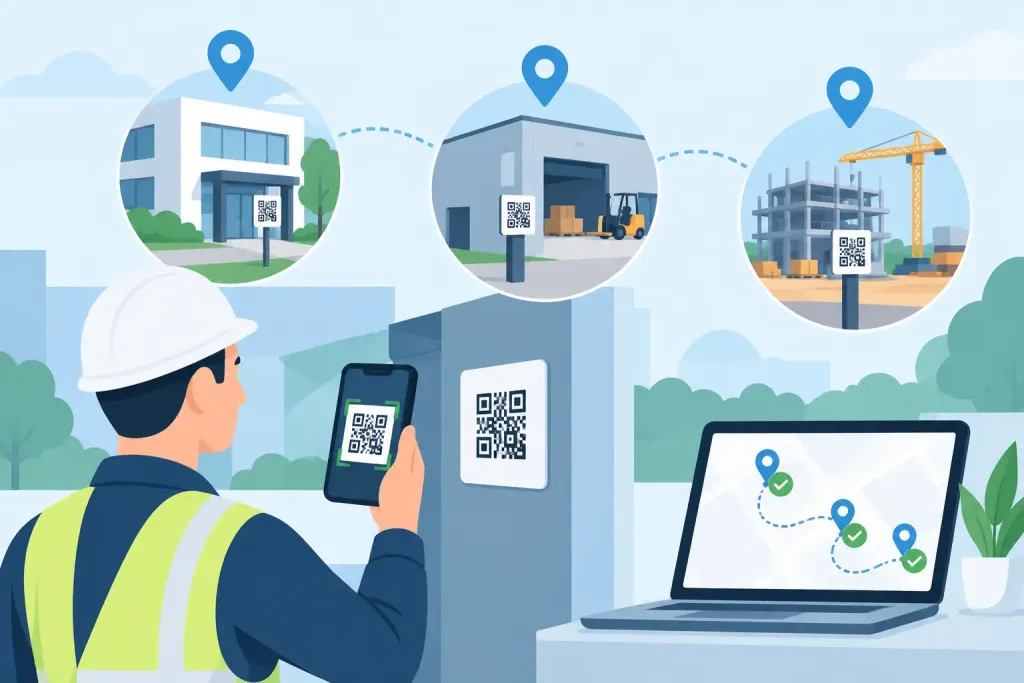
A QR checkpoint placed in the wrong location can create the appearance of a completed patrol without proving that a guard inspected the risk it was meant to control. Knowing how to deploy QR checkpoints properly turns a simple scan into absolute proof of presence, supported by a time-stamped, location-specific record that managers can review while the shift is still active.
For security providers, facilities teams and in-house departments, the objective is not to put a code on every wall. It is to build a patrol route that reflects real site risks, gives officers clear instructions and produces evidence that stands up to client scrutiny, incident investigation and compliance review.
Start with the patrol risk, not the QR code
Walk the site before assigning checkpoints. Consider where an issue could develop unnoticed, where access needs to be verified, and where a patrol visit provides a meaningful deterrent. A fire exit, plant room, perimeter gate, loading bay, vacant floor, roof access point and high-value storage area may all require a different frequency of inspection.
Use incident history, client requirements and the site risk assessment to define the route. If a warehouse has experienced unauthorised access through a rear service door, the checkpoint should be positioned where the guard can check the door, surrounding fence line and signs of tampering. A code fixed around the corner may record a scan, but it does not prove the guard saw the door.
This distinction matters when responding to a complaint or claim. A defensible patrol record shows that the officer attended the right place at the right time and, where necessary, completed the required checks. QR checkpoints support accountability, but their value depends on the operational design behind them.
How to deploy QR checkpoints step by step
Map the site into controlled patrol zones
Divide larger or complex premises into practical patrol zones. A multi-storey office building, for example, may have public areas, tenant corridors, plant spaces, car parks and external access points. This allows supervisors to assign routes by shift, skill level and risk rather than expecting every officer to follow one long, generic circuit.
Each zone should have a clear purpose. Perimeter checkpoints confirm boundary integrity. Access-control checkpoints verify doors, gates and visitor areas. Safety checkpoints direct attention to hazards such as fire doors, emergency equipment or isolated work areas. This structure also makes it easier to see which part of a site has been missed when reviewing live activity.
Avoid designing routes that are too predictable. Fixed checkpoints can remain in place, but scan order, patrol timing and task prompts may need to vary on sites where predictable security patterns could be exploited. The right approach depends on the threat profile and the client service level agreement.
Choose the exact point of proof
Install each QR code at the location where the guard must be standing to carry out the inspection. It should be visible enough to find during a routine patrol but not so exposed that it can be photographed, copied or damaged easily.
For external points, use weather-resistant labels or protective housings. In dirty, high-traffic or industrial environments, position codes away from areas likely to be covered by dust, grease or condensation. For public-facing settings such as hotels, offices and campuses, place them discreetly to preserve presentation while keeping them accessible to authorised personnel.
Height matters too. A code should be reachable without climbing, bending excessively or entering an unsafe position. Never place a checkpoint behind machinery, near moving vehicles or inside a restricted area unless the patrol task and officer training justify access. The checkpoint itself must not introduce a health and safety risk.
Name checkpoints for rapid action
Checkpoint names should remove ambiguity. “Door 4” may mean something to a long-serving guard but little to a relief officer or remote control room operator. Use names that identify the area and asset clearly, such as “North Perimeter Gate – Vehicle Entrance” or “Block B Level 2 – Fire Exit East”.
Where useful, add short instructions or a digital form to the checkpoint. At a fire exit, the officer may need to confirm it is closed, unobstructed and free from damage. At a generator enclosure, they may record signs of forced entry, leaks or unusual noise. This changes the patrol from a movement record into a documented inspection.
Keep instructions focused. If a form takes too long to complete at every visit, guards may rush, use generic responses or delay other duties. Detailed forms are best reserved for higher-risk points, scheduled inspections and exception reporting.
Build tolerance into the patrol schedule
Set patrol windows that reflect the operational reality of the site. A rigid schedule can be appropriate for a critical access point or lone-worker welfare check, but a route covering a large estate needs reasonable tolerance for responding to visitors, alarms, deliveries or incidents.
Define what happens when a checkpoint is not scanned within its expected window. The system should alert the appropriate supervisor, who can confirm whether the officer has been diverted, needs assistance or has simply missed the task. Escalation rules should be proportionate: a missed low-risk checkpoint may require review, while a missed checkpoint at a hazardous or restricted area may demand immediate contact.
Cloud-based platforms such as QR-Patrol allow managers to view scans and exceptions as they happen, rather than waiting for a device to be returned at the end of a shift. That speed is what enables intervention before a missed patrol becomes a wider security exposure.
Test every route under real conditions
A deployment is not complete when the codes are installed. Run the proposed patrol during day and night conditions, including poor weather where relevant. Check mobile signal, lighting, access restrictions, lift availability, locked doors and the time required to move safely between points.
Ask the officers who will use the route whether the instructions are clear and whether each scan location supports a genuine inspection. Their feedback often identifies practical problems missed during a daytime survey, such as a code obscured by a delivery cage or an external route that feels unsafe when a lone worker is on duty.
Test failed-scan procedures as well. Guards need to know what to do if a code is damaged, a phone battery is low or a handset cannot connect immediately. The correct response is normally to complete the physical check, record the exception through the app or agreed process, and notify supervision where required. A missed scan and a missed patrol are not always the same thing, but the record must explain the difference.
Prevent common QR checkpoint failures
Most deployment problems are avoidable. They usually stem from poor route design, weak labelling or treating installation as a one-off task. Watch for these recurring issues:
- Checkpoints positioned for convenience rather than verification of the actual risk.
- Generic names that make reports difficult to interpret during an incident.
- Too many scans on one route, creating rushed and low-value patrol activity.
- Codes exposed to weather, vandalism, cleaning chemicals or physical damage.
- No defined alert process for missed checkpoints or overdue patrols.
- No review after a site layout change, new tenant, construction phase or security incident.
Review checkpoint performance regularly. If a code is continually missed, investigate the reason before assuming poor guard performance. The location may be inaccessible at certain times, the route may be unrealistic, or the task may no longer be relevant. Equally, repeated scans completed suspiciously quickly may indicate that route timing, checkpoint placement or supervisory controls need attention.
Connect checkpoints to incident response and reporting
The strongest deployment links proof of patrol to action. A guard who finds a damaged lock should be able to raise an incident from the relevant location, add photographs and notes, and trigger the right notification path. Managers then have the scan event, incident record, response timeline and follow-up action connected in one audit trail.
This is especially valuable for client reporting. Rather than supplying a statement that patrols were completed, security teams can show attended locations, exception records, incident evidence and response actions by site, date and shift. For organisations working to BS 7499 requirements, health and safety obligations or demanding service level agreements, clear records reduce uncertainty and support informed management decisions.
QR checkpoints are also only one part of the control model. GPS-based virtual checkpoints can suit open estates or temporary construction areas, while NFC tags may be preferable where a physical tag is more appropriate. The technology should follow the environment and required proof, not the other way around.
A well-placed code does more than confirm a scan. It directs attention to the point where attention is needed, gives supervisors a live view of delivery, and creates evidence that remains useful long after the patrol has ended. Start with the site risk, test the route with the people who work it, and keep refining the checkpoint plan whenever the operation changes.