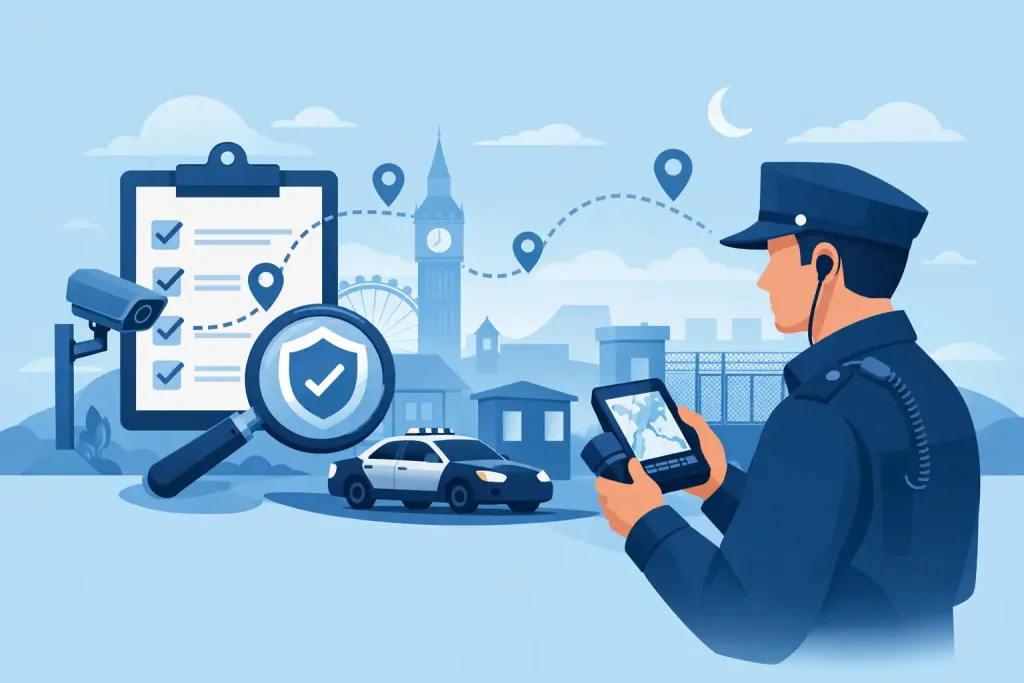
A missed patrol is not simply a gap in a shift log. At a warehouse, campus, construction site or office park, it can leave a fire door unchecked, a vulnerable area unobserved or an incident undiscovered until the consequences escalate. This security patrol audit trail guide explains how security teams can turn every patrol, exception and response into evidence that stands up to client scrutiny, internal review and compliance checks.
What a security patrol audit trail must prove
An audit trail is the chronological record of what happened during a patrol and what was done when something did not go to plan. It should establish more than whether a guard was scheduled to work. A defensible record shows who completed the activity, where they were, when it occurred, what they found and how the organisation responded.
Paper occurrence books and handwritten patrol sheets can provide a basic history, but they create avoidable uncertainty. Times may be entered later, handwriting may be unclear, sheets can be misplaced, and a supervisor cannot see a missed checkpoint until the end of the shift. For client-facing security contracts, that delay weakens accountability.
A digital audit trail provides a clearer operational picture. When a guard scans a checkpoint, submits an observation or raises an alarm through a mobile device, the record can be time-stamped, linked to a location and made visible to authorised managers immediately. The result is absolute proof of presence where it matters, together with a reliable record of action.
The records that create a defensible trail
The quality of an audit trail depends on the quality of the events captured. Not every site needs the same level of detail. A small office may need simple opening, closing and perimeter checks, while an airport, industrial estate or remote construction project may require frequent patrols, strict escalation rules and lone-worker controls.
At minimum, each patrol record should connect the guard, shift, patrol route and checkpoint activity. The system should retain the planned time or patrol window alongside the actual scan time, so late, early and missed activities are visible rather than hidden in a completed tick box.
For stronger evidence, capture the following operational details:
- Checkpoint identity and verified location, using QR codes, NFC tags, beacons or GPS-based virtual checkpoints.
- The guard completing the scan, with the relevant shift and site assignment.
- Time-stamped observations, including photographs, notes and custom form responses where required.
- Incidents, hazards and defects, with severity, escalation route and the action taken.
- Supervisor acknowledgements, follow-up tasks and closure evidence.
- Exceptions such as skipped checkpoints, delayed scans, failed scans, device connectivity issues or altered patrol routes.
This combination matters because a scan alone cannot explain an operational failure. If a guard identifies an unlocked plant-room door, for example, the record needs to show the finding, who was notified, when they were notified and whether the risk was resolved. That is the difference between a presence record and an audit trail.
Keep original events visible
A trustworthy trail should not allow inconvenient events to disappear. Corrections may be necessary – a supervisor might need to add context to a report or mark a task as resolved – but the original event, time and author should remain traceable. This protects guards as well as managers. It demonstrates what was reported at the time, rather than relying on recollection after an incident.
Build the audit trail into the patrol workflow
The most effective security patrol audit trail is created as part of normal work, not assembled after a complaint. Guards need a clear route, simple instructions and a fast method of recording exceptions without being distracted from their surroundings.
Start by mapping the site’s risk points. These may include access gates, fire exits, restricted areas, loading bays, plant rooms, welfare facilities, boundary lines and lone-worker locations. Assign a suitable checkpoint method to each point. QR codes are practical for visible fixed locations, while NFC tags may suit places where a more discreet scan is needed. GPS checkpoints can support wide, remote or temporary sites, though they need carefully defined geofences to avoid false confirmation near the intended location.
Next, set patrol schedules that reflect risk rather than habit. A high-value loading bay may need checks around delivery windows. A vacant property may require varying patrol times to prevent a predictable pattern. A static guard post may need welfare confirmations and panic alarm capability instead of a conventional route. The audit trail should reflect these differences.
When a checkpoint is scanned, the system should record the event automatically. If the guard finds an issue, they should be able to select the relevant incident type, add a concise description, attach evidence and trigger the required escalation. Predefined forms help make reports consistent, but they should be short enough for use during a live incident.
Make exceptions immediately actionable
A missed scan should prompt a decision, not become a red mark in a monthly report. Managers need notifications that distinguish between an isolated delay, a device problem and a potential welfare or security issue.
For example, a guard who misses one internal checkpoint but remains active elsewhere on site may require a supervisor check-in. A lone worker who misses a welfare confirmation and does not respond to contact requires a more urgent protocol. The correct response depends on the site risk assessment, contractual requirements and the guard’s last verified activity.
Live notifications are valuable only when ownership is clear. Define who receives alerts outside normal hours, the response time expected and how the response is recorded. Otherwise, the system can show that an alert was raised but not whether anyone acted on it.
Use audit data to manage performance, not just prove it later
Audit trails are often requested after an incident, client challenge or dispute. Their greater value is preventative. Regular reviews reveal where patrol delivery is weakening before a serious gap becomes visible.
Look for repeat missed checkpoints, recurring late patrols, frequent incident types, unusually short routes and unresolved defects. A pattern of failed scans in one location may indicate poor mobile coverage, a damaged tag or an impractical checkpoint position. Repeated late scans at a gatehouse may show that the route is unrealistic when deliveries arrive. Data should lead to operational correction, not automatic blame.
Client reporting should focus on service evidence and exceptions. A report that lists thousands of successful scans without context can obscure the information a facilities manager needs. Show patrol completion against agreed service levels, notable incidents, response actions, open risks and recurring trends. This gives clients a transparent account of delivery and provides a factual basis for contract reviews.
QR-Patrol supports this approach by bringing guard tours, incident reporting, task management and live monitoring into one cloud-based operational record. Managers can review patrol activity as it happens rather than waiting for paper logs to return from site.
Protect data without weakening accountability
Patrol records can contain personal data, including guard identities, location information and incident details. They can also include sensitive information about tenants, visitors, assets and security vulnerabilities. A useful audit trail must therefore be governed carefully.
Apply role-based access so guards see what they need to complete their duties, while supervisors, operations managers and clients receive only the appropriate information. Avoid collecting location data beyond the legitimate operational purpose, and set sensible retention periods that meet contractual, legal and investigative needs without retaining data indefinitely.
For UK operations, data handling should align with UK GDPR principles, including purpose limitation, data minimisation, access control and secure retention. Security providers should also consider BS 7499 requirements, health and safety duties, site-specific instructions and client service-level agreements. Technology supports compliance, but it does not replace clear procedures, training or management oversight.
A practical implementation checklist
Before going live, test the audit trail under real operating conditions. Walk every route, scan each checkpoint, submit a sample incident and confirm that alerts reach the correct person. Test low-signal areas, overnight shifts and emergency escalation, not just an ideal daytime demonstration.
Make sure every team member understands three things: what must be scanned, what must be reported, and what to do if a device, tag or connection fails. A documented fallback process is essential. If a phone is damaged or connectivity drops, guards still need a safe way to record activity and report urgent incidents. Once service is restored, the exception should be reconciled openly rather than recreated from memory.
Review the first weeks of data with supervisors and guards. If the workflow produces rushed scans, excessive alerts or inconsistent reports, adjust it. The aim is not to generate more data. It is to maintain a clear chain of evidence that helps people act quickly and protects the site when it matters most.
A good audit trail should make the next decision easier: confirm the patrol, investigate the exception, support the guard or escalate the risk before a small failure becomes a serious incident.