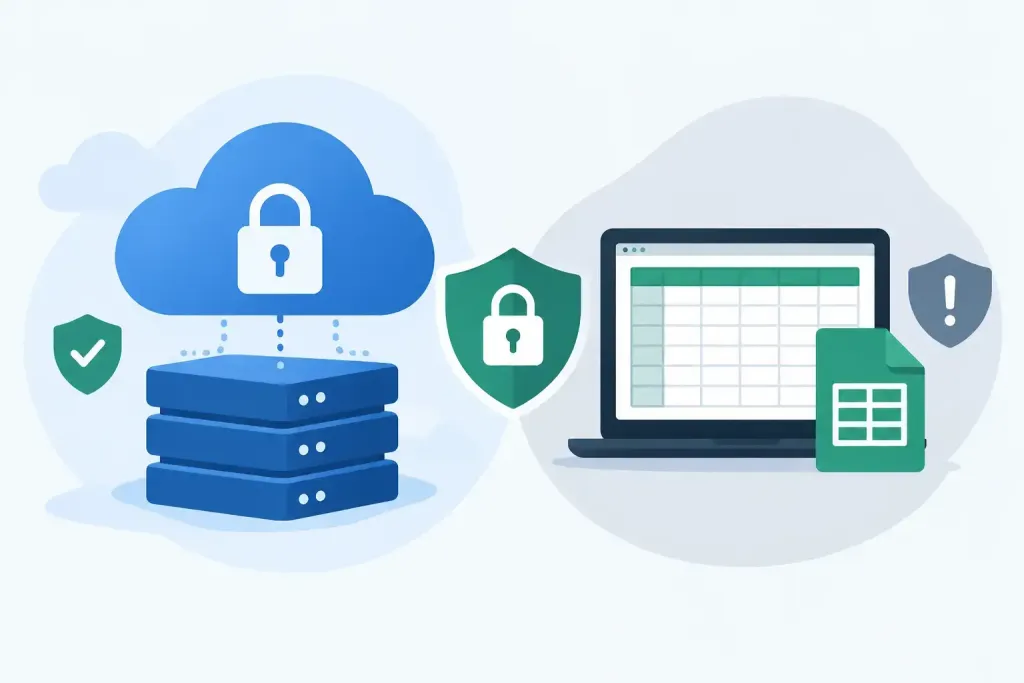
A missed patrol is rarely just a missed patrol. It can mean an unsecured access point, a welfare concern left unseen, a client SLA dispute or no reliable record of what happened during a critical window. That is where cloud records versus spreadsheets becomes an operational decision, not simply a choice of admin tool.
Spreadsheets remain familiar, inexpensive and useful for basic planning. But when guards are working across live sites, often alone and outside office hours, records need to do more than store information. They need to prove presence, expose exceptions and give managers time to act.
Why cloud records versus spreadsheets matters on live sites
A spreadsheet records what someone enters after an event. A cloud-based operational record can capture activity at the point of work: a checkpoint scan, GPS position, time stamp, image, incident form or missed task alert. The difference is not cosmetic. It changes whether a control room or supervisor can intervene while the issue is still manageable.
Consider a warehouse patrol at 02:00. A guard finds a damaged perimeter fence and reports it in a spreadsheet at the end of the shift. The information may be accurate, but it is late. If the same finding is submitted through a mobile incident form, with photographs and location details, the relevant manager can receive an immediate notification and arrange a response before the site becomes more vulnerable.
For security providers, the distinction also affects client confidence. A monthly spreadsheet can show that patrols were scheduled. Time-stamped cloud records can demonstrate that specified checks were completed, where exceptions occurred and how the team responded. That is a far stronger basis for service reviews, invoice discussions and incident investigations.
Where spreadsheets still have a place
Spreadsheets are not inherently unsuitable. For a small operation with one location, a stable rota and limited reporting obligations, they can be adequate for budget tracking, high-level staffing plans or non-urgent asset lists. They are familiar to most managers and simple to adapt without specialist training.
The problem starts when a spreadsheet is asked to operate as a live security system. It is difficult to establish whether the latest version is being used, who changed a cell, whether a guard was actually at a checkpoint or whether an incident was escalated promptly. Manual copying from notebooks, emails and WhatsApp messages introduces gaps, duplicated effort and the risk of transcription errors.
Spreadsheets are particularly weak when several people need the same information at once. A site supervisor updating a log, an operations manager compiling a report and a client requesting evidence can quickly create conflicting versions. A shared file may reduce some friction, but it does not create verified physical proof of attendance or automatic response workflows.
What cloud records add to patrol accountability
Cloud records create a single operational picture accessible to authorised users wherever they are. For patrol management, that record can bring together schedules, checkpoint activity, incidents, tasks, occurrence-book entries and guard welfare events. Managers do not need to wait for paper logs to return to the office before they can see what is happening.
Proof of presence at the point of duty
A digital record is most valuable when it is linked to a verifiable action. QR codes, NFC tags, Bluetooth beacons and GPS-based checkpoints can confirm that a guard has reached the required location at the expected time. This does not replace professional judgement, but it provides an objective layer of evidence around patrol delivery.
If a checkpoint is missed, the system can flag the exception immediately. A supervisor can then contact the guard, investigate a possible device or route issue, or deploy support where necessary. With a spreadsheet, the missed check may only become visible after the shift or at the end of the reporting period.
Faster, better-evidenced incident handling
Incident records should answer practical questions: what happened, where, when, who was involved, what action was taken and who was notified? Mobile forms allow guards to capture those details while they are fresh, including photographs, notes and relevant categories.
That improves the quality of the record and reduces the time between discovery and escalation. It also gives managers a consistent format across sites, rather than relying on each officer to describe events differently in free-text documents. For recurring issues, structured records make it easier to identify patterns, such as repeated door faults, trespass attempts or health and safety hazards.
Clearer audit trails, with proper controls
Security operations need defensible evidence. A good cloud platform records time-stamped activity, maintains an accessible history and applies permissions so the right people can view or manage sensitive information. This supports internal reviews, client reporting and investigations where the sequence of events matters.
Cloud storage alone does not make an organisation compliant. Managers still need clear retention periods, user-access controls, appropriate data processing arrangements and training in GDPR-aware handling of personal data. The advantage is that these controls can be applied consistently, rather than relying on files held across personal devices, local drives and email inboxes.
The operational cost of delayed information
The most significant spreadsheet risk is delay. A manager cannot manage an emerging issue if the evidence arrives after the response window has closed. This is especially relevant for lone workers, remote locations, vacant properties, construction sites and large estates where a patrol may be the only regular physical presence.
A cloud-based system can support alerts for missed check-ins, panic alarms, man-down events and overdue tasks. The correct response still depends on the organisation’s procedures, staffing and site risk assessment. Yet immediate visibility gives teams the chance to follow those procedures when they matter, rather than reconstructing events afterwards.
There is also a workload issue. When guards spend the end of every shift rewriting notes, supervisors spend time chasing documents and administrators spend hours consolidating separate files, reporting becomes a manual recovery exercise. Capturing data once in the field reduces repetitive handling and helps reports reflect the actual operation rather than a delayed interpretation of it.
Comparing the two approaches
The practical differences become clearer when viewed against daily security requirements:
- Live oversight: Spreadsheets depend on manual updates. Cloud records can show patrol and incident activity as it is submitted.
- Evidence quality: Spreadsheets normally rely on typed entries. Cloud tools can combine time, location, checkpoint data, photos and forms.
- Exception response: Spreadsheet issues are often found during review. Cloud alerts can bring missed patrols or welfare concerns to attention immediately.
- Multi-site control: Separate files make standardisation difficult. A central platform gives managers one view while retaining site-level detail.
- Reporting: Spreadsheet reports require collation and checking. Cloud records can produce consistent reports from the same operational data.
- Accountability: Cell histories can help, but they rarely prove that a physical security task was completed at a particular location.
This does not mean every process must be digitised at once. A sensible transition can begin with the activities carrying the greatest risk: patrol checkpoints, occurrence books, incident reporting and lone-worker monitoring. Once teams see that records reduce follow-up work rather than add to it, adoption is usually more straightforward.
Choosing a cloud record system without creating new problems
The right platform should match the reality of field work. Guards need a mobile app that is quick to use in poor weather, low light and time-pressured conditions. Supervisors need clear exception views rather than a wall of unfiltered data. Operations managers need reports that are suitable for clients, contract reviews and compliance evidence.
Look closely at checkpoint options as well. QR codes may suit many indoor routes, while NFC tags, beacons or GPS checkpoints can be more appropriate for particular environments. The best choice depends on signal conditions, the risk of tag removal, the layout of the site and the level of verification required.
Implementation matters as much as functionality. Define patrol routes and escalation rules before launch. Decide which incident categories require immediate notification, who receives alerts out of hours and how records will be reviewed. Train guards on the operational purpose of the system, not only which buttons to press. Clear expectations prevent technology from becoming another task with no visible value.
QR-Patrol, for example, combines mobile checkpoint verification, live incident reporting, lone-worker protection and centralised reporting so security teams can manage those workflows from one controlled record.
A record is only useful if it supports action
The choice is not really between a spreadsheet and a newer interface. It is between reviewing security activity after the fact and having the information needed to control it as it happens. Keep spreadsheets for planning and analysis where they work well. For patrol proof, incident escalation and welfare-critical activity, build records that give your team a clear view, a reliable audit trail and the time to respond.